Mar 14, 2009

review on bitColor


recently I was introduced to bitColors.com by one of my friend. I explored their feature and interestingly enough, I found couple of good things about them. bitColors if fullyfeatured blog, I guess far better then the blogspot, they have far more plugins then what I would have imagined at blogspot. The number of themes they support are humangous. Most importantly you can search for the people who are working in your field and colloborate with them or discuss with them. They have quite friendly and open supportive teams. Bitcolors is basically a community of professions and blog of professionals. I was benifited by moving their by the amount of exposure and the traffic that i am receiving there. I strongly recommend, if you have some blog move it to bitColors.com or create a fresh one if you dont have any.

If you would like to add something more to this informaiton, please feel free to comment.

Feb 21, 2009

Top 100 uTube videos for webmaster

While many people see YouTube as a fun and mindless distraction, the fact is that it's really quite useful. The video site is full of educational tools for just about anyone, webmasters included. These 100 videos for webmasters include clips with subjects ranging from SEO (search-engine optimization) to domain buying.

Getting Started

These videos offer an introduction to webmastering.

  1. How to Make Your Own Web Site: In this tutorial, you'll learn how to use online tools to create a profitable Web site.
  2. Matt Cutts Discusses Webmaster Tools: In this video, Matt Cutts explains how you use webmaster tools and optimize your site for Google.

SEO

Learn about strategies for improving your site's search-engine rankings.

  1. SMX Seattle: Matt Cutts on Duplicate Content and Paid Search: This Matt Cutts interview explains what you need to know about paid search with Google, as well as duplicate content.
  2. Search Engine Ranking — Google Webmaster Guides: Check out this video, which goes over Google's webmaster guidelines.
  3. Google On-Page SEO Tips and Strategies: This video shares some page-level SEO techniques that you can put to work on your site.
  4. SEO Title Tags: Check out this video tutorial to learn how you can make title tags work for you.
  5. Why Google Likes Old Web Sites: Find out why Google and other major search engines tend to favor sites that have been around for a while.
  6. Search Engine SEO Google Tips — Ecommerce Webmaster Guide: Gareth Davies offers five useful SEO tips for e-commerce Web sites.
  7. Create Google- and SEO-Friendly Page Titles: This video explains a few strategies for page titles that will help get you better search-engine returns.
  8. TrustRank Explained by Matt Cutts: Matt Cutts discusses the concept of TrustRank in this video.
  9. SEO Best Practices: In this video, you'll get a good look at some of the best practices for SEO.
  10. Google's Subscribed Link Feature and Webmaster Tools Gadget: In this video, you'll learn about a useful new gadget on Google's Webmaster Tools, subscribed links and more.
  11. SEO Title Tags: Get an introduction to title tags and learn how to make them useful in SEO.
  12. Google SEO Web Site Health-Check Tool: See how to diagnose SEO issues with this free tool.
  13. Network Solutions Senior VP: Beginner Tips for SEO: On MSNBC's "Consultants Corner," Network Solutions senior vice president Stephanie Leffler discusses how you can get started with improving your search-engine rankings.
  14. What Should SEOs Focus on in 2008?: Check out this video to find out what Google's Matt Cutts thinks are important SEO issues these days.

Content and Link Building

Check out these videos to learn how to spread the word about your site.

  1. Social Bookmarking in Plain English: This video offers a simple look at social bookmarking.
  2. Webmaster Strategy: Cross-Linking Your Web Sites: Take a look at this strategy for linking your sites.
  3. Linkback Tool at Google's Webmaster Central: Take a look at this useful tool for researching internal links.
  4. How to: Create Link Bait Every Day: SEO Book.com explains a few strategies for creating content worthy of linking.
  5. Avoiding Duplicate Content: This video shows you how to find duplicate content and rid your site of it.
  6. SEO Link Building 101: This video describes the types of links that will help you improve your site's ranking.
  7. Follow Your Tail: This interesting clip explains how to manipulate your links so that you're focusing on the ones that matter.
  8. Social Bookmarking Plus Social Networking Plus Instant Traffic: See how this webmaster uses social networking and bookmarking to create a site with heavy traffic and profit.
  9. Link Building for SEO: Wil Reynolds explains how you can use link building to strengthen your SEO.
  10. What Is Social Bookmarking: In this video, you'll learn about social bookmarking and how you can use it to drive traffic to your site.

Design and Building

Get details about creating and designing your site.

  1. How to Create Web Site Header Graphics Using Photoshop: In this tutorial, you'll learn how to make a snappy header for your Web site.
  2. Matt Cutts Discusses the Importance of Alt Tags: Find out why alt tags are so important and how you can put them to work in this clip from Google.
  3. How to Create a Basic Web Site Layout: Check out this video to see how to create a no-frills Web site layout.
  4. How to Build a Content Minisite in Under 10 Minutes: Learn how to create a small site full of content with this video.
  5. Follow These Principles When Designing Your Web Site: Use these design guidelines from Hot Studio when you're building your site.
  6. C.R.A.P. — Basic Layout and Design Principles for Web Pages: This video offers a number of layout and design principles for Web design.
  7. Typography School: Typography expert David Dabner discusses design, letterpress and properly using typography on computers.
  8. Preparing and Planning for Internet-Marketing Success: This video will show you how to get started with marketing online.
  9. Meta Tags: How to Edit Them: This clip teaches you how to edit meta tags.
  10. Matt Cutts' Three-Step Process to Building Up a Really Good Site: In this clip, recorded at PubCon Vegas 2007, Matt Cutts explains how to improve your site to get more traffic.
  11. Create a Web Page Using Photoshop: This video teaches you how to create a Web page out of a graphic using Photoshop.
  12. IP Delivery: Background and Considerations: Learn about using IP delivery on your site from this Google engineer.
  13. Photoshop Tricks: Editing Web Templates for Web Sites: Use this video to learn how to manipulate Web site templates in Photoshop.

Blogging

These videos will teach you how to improve your site with a blog.

  1. Purchasing and Setting Up a Custom Domain through Blogger: This video from Blogger will show you how to set up a custom domain.
  2. Why You Should Start Blogging Today: Find out why blogging is vitally important to new Internet marketers.
  3. Finding Photos for Your Blog: Use this video as a guide for finding free and legal images that will add value to your blog.
  4. How To Remove the Blogger Navigation Bar: Find out how you can get rid of the bar that Blogger automatically puts on top of your blog.
  5. Optimizing Your Blog for Traffic: Get your blog set up for traffic using the tips in this video.
  6. Optimize Your Blog Posts for SEO: Follow these tips to get your blog posts high in search-engine rankings.
  7. Blog Marketing With Trackbacks: In this tutorial, you'll learn how to take advantage of the trackback linking strategy.

Authority

Build authority using the strategies outlined in these videos.

  1. What Is an Authority Site?: Learn about the basics of building an authority site in this video.
  2. Building an Authority Site: Find out what you need to do to create an authority site.
  3. Benefits of an Authority Site: In this video, you'll learn why it's so important to have an authority site.
  4. How to Get Top 2 Percent in Alexa Rankings by Using Authority Sites: This video shows you how to use authority sites to build your own ranking.

Legal and Security

Check out these videos to learn how to protect your site.

  1. How to Check for Duplicate Content?: This video offers a tutorial for using Copyscape to discover duplicate copies of your content online.
  2. Use Google Webmaster Tools to Create a Robots.txt File: Check out this video to learn how to protect sensitive areas of your site.
  3. Domain Name No-Nos ... Interview with a Domain-Name Lawyer: Hear from a domain-name and trademark lawyer about what you need to know when creating, buying and selling a domain name.
  4. What Every Engineer Needs to Know About Security: This video discusses security, emerging threats and design.
  5. Eric Enge on Duplicate Content: This expert discusses how you can deal with duplicate content.

Usability

Make your site more user-friendly with the advice in these videos.

  1. Understanding Web Vision: Understand and learn how to manipulate the way users view Web pages with this video.
  2. The Science and Art of User Experience at Google: See how Google handles user experience and learn how you can implement its principles in your own site's design.
  3. Eye Tracking Demo: Get a look at how users see your Web site with this demo.
  4. Why Interaction Design Matters: This video considers why designing for the user is so important.
  5. User Interface Technology, Experience and Usability Analysis: See how you can improve the customer experience with this video.

Monetization and Advertising

These videos will teach you how to make more money with your site.

  1. Contextual Advertising Options: Clicks Equal Cash: Joel Kamm discusses a number of different ways to monetize content-based sites.
  2. 5 Surefire Ways to Increase Google AdSense Earnings: Mal Keenan explains how you can ramp up Google AdSense.
  3. 404 Error-Page Money: Watch this video to consider how you can monetize every page of your Web site.
  4. Keyword Research: Here you'll see how to do keyword research with free tools.
  5. Top Paying AdSense Keyword Lists: Aaron Wall discusses how you can create keyword lists based off of free information.
  6. How to Use Google Trends for Keyword Research: This video explains how you can research keywords with Google Trends.
  7. AdSense Optimization: Find out how to take AdSense to the next level.
  8. How Ads Kill Web Sites: Find out why displaying ads too aggressively can be detrimental to your site.
  9. AdWords Critical Metrics: Find out about three important metrics you need to analyze.
  10. AdSense Arbitrage: Shoemoney offers a nice view of the concept of AdSense arbitrage.
  11. Is It Risky to Build a Business on Sites for AdSense?: In this video, you'll learn the risks of creating an AdSense content site.
  12. The Keyword Tutorial — Find the Best Keywords for Your Site: Find out how to use Google AdWords' Keyword Tool to research the keywords that you'd like to buy.
  13. Google AdWords Tutorial: This tutorial walks you through the process of creating an AdWords account.
  14. Finding Good Keywords for Google: Learn how you can locate and research useful keywords for your site.
  15. Paid Links — Don't Make Google Look Stupid: Shoemoney warns against abusing paid links.

Affiliate and E-Commerce

In these videos, you'll learn how to better manage your affiliate or e-commerce site.

  1. Affiliate-Marketing Site Basics: Learn how to get started with an affiliate site.
  2. Affiliate-Marketing Guide for Affiliate-Marketing Newbies: Learn the basics of creating an affiliate- marketing site with this clip.
  3. Finding Your Niche: Learn how you can find a profitable niche for affiliate marketing.
  4. Exactly How to Set Up a Blog for Affiliate Marketing: Avoid mistakes and optimize your blog for affiliate marketing with this video.
  5. Super Affiliate-Marketing Handbook: Check out this guide to take your affiliate-marketing site to the next level.
  6. E-Commerce Home Shopping — Six Business Web-Design SEO Tips: Here you'll learn about 6 common mistakes that many e-commerce sites make and how to fix them.
  7. How to Create a Successful E-Commerce Web Site: Check out this video to learn the basics of creating an e-commerce site.
  8. SixKey Web Pages for E-Commerce Web Sites: See which pages your e-commerce Web site should contain.
  9. SEO Google Tips — E-Commerce Webmaster Guide: This video offers useful SEO tips for e-commerce sites.
  10. SEO as Key to E-Commerce Success: Take a look at how this Web site uses SEO for success.

Domains

Learn more about buying and managing domains with these clips.

  1. Find Keyword-Rich Domains with Traffic: This video shows you how to identify domains that will be profitable.
  2. How to Buy a Domain Name: Chris Pirillo covers the basics of getting your hands on a domain name.
  3. Domain-Name Registration — How to Set Name Servers: Learn how to set up domain-name servers with this video.
  4. Tutorial: Finding Available International Domain Names: This video shows you how to use the IDN Research Tool to quickly find international domain names.
  5. Selling Domain Names at Auction ... Interview with a Domainer: See what Mickie Kennedy has to say about domaining and selling domain names through auctions.
  6. Domain-Name WHOIS Registration Privacy: Chris Pirillo considers whether you should register your domain privately.
  7. Domain Names amd Search-Engine Marketing: Check out this video to learn how domain names play a role in SEO.

Competition

Stay on top of what other Webmasters are doing with the strategies found in these videos.

  1. Competitive Research Under $100: Use these low-cost tools to get the scoop on how your competing Webmasters market their sites.
  2. Adwords007.com — Destroy the PPC Competition: Find out how to use this tool for competitive research.
  3. How to Use SEO for Firefox: This video explains how to use the SEO for Firefox extension for competitive research.

Fun

These videos show off the lighter side of being a Webmaster.

  1. Social-Media Addiction Rap: Let this rapper diagnose your social-media addiction.
  2. The SEO Song: This guy has dedicated a song to SEO specialists and pro bloggers.
  3. Webmaster Gets Kicked in the Crotch: This Webmaster gets punished for not finishing his work.
  4. Design Coding: In this marketing rap, you'll learn how to make Web standards and proper design work for your site.
  5. Domain-Name Buying Spree: Comedian Brian Malow discusses buying domain names.

Feb 19, 2009

30 Websites to follow for Web Development

I’ve made it a goal to learn at least one useful thing each day so that I can stay sharp and well-versed on the topic of web development and design. To that end, here’s some of the websites I keep track of to find new techniques, resources, and news about building websites.


Most of these sites are updated frequently, so there’s never a lack of new content that fills up my Google Reader.


Because the role of the web developer is ever-expanding, I’ve also included a variety of sites that covers fields relating to web development - such information architecture, user interaction, and web/graphics design.
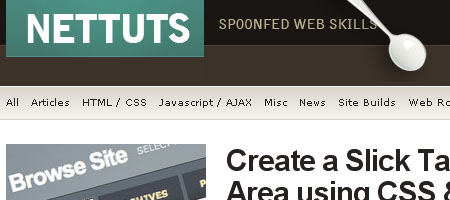


1. NETTUTS


NETTUTS - Screenshot


NETTUTS is a recently launched blog/tutorial site that provides "spoonfed web skills". There are already plenty of useful and detailed tutorials that range from offloading static content to Amazon S3 to creating a beautiful tabbed content area using jQuery. NETTUTS is perfect for developers just starting out, since the tutorials are very thorough and in a "step by step" format. For more advanced developers, it’s an excellent source of inspiration and learning new techniques.



2. woork


woork - Screenshot


Woork is a blog by Antonio Lupetti, a developer from Italy. He provides short, easily-consumable tutorials on various topics of web development such as PHP, Cold Fusion, JavaScript, and CSS. His knack for creating beautiful tutorials, chock full of custom-made images that illustrates the concepts he talks about is a testament to the detail and "work" that Antonio puts in each of his posts. Check out his awesome tutorial on a "Top-Down approach to simplify your CSS code" where he explains his preference on creating and formatting stylesheets.


3. Web Designer Wall


Web Designer Wall - Screen shot


Web Designer Wall is a blog by Nick La that features design ideas and elaborate, stunning tutorials such as creating a CSS gradient Text Effect - a technique that uses an image overlay over normal XHTML text, and jQuery tutorials for designers which showcases ten techniques to get you started with jQuery.


4. Smashing Magazine


Smashing Magazine - Screen shot


I won’t say much about Smashing Magazine since most of us have probably heard of it, but if you haven’t, Smashing Magazine is an excellent resource for web designers and developers looking to be inspired. Smashing Magazine also manages to publish almost everyday, despite their very detailed and thorough posts.



5. Vitamin


Vitamin - Screenshot


Vitamin offers a large amount of information on the topic of web development and design. With many contributors, Vitamin manages to cover a wide range of topics including Ajax, CSS, development techniques, best practices, and workflow management.


6. Wake Up Later


Wake Up Later - Screen shot


Wake Up Later is the blog of Samuel Ryan, a freelance web developer/designer. Rather than covering specific web development techniques or providing tutorials, he talks about general web development related things such as reasons not to write your own code, tips on improving productivity, and common design mistakes made by developers.



7. Snook.ca


Snook.ca - Screen shot


Snook.ca is run by Jonathan Snook, an icon in web development and design. His blog provides tutorials and articles about PHP, JavaScript, and more recently (the blog dates back to 2001), Adobe AIR. He also provides useful resources and bookmarks that are worth a read, and talks about things that are part of being a web developer such as project management via email and maintaining your personal brand online.
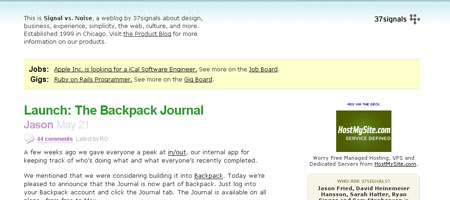

8. Signal vs. Noise


Signal vs. Noise - Screen shot


Signal vs. Noise is a design/usability company blog by the people over at 37 Signals - known for developing remarkable web applications such as BaseCamp and their involvement in the popular open source web application framework, Ruby On Rails. The blog gives insights about being a productive and effective web application developer and keeping things simple, with entries such as "Workaholics fixate on inconsequential details" and "Sleep deprivation is not a badge of honor".


9. adaptive path blog


adaptive path blog - Screen shot


adaptive path’s company blog offers news and posts on the topic of user interface design. There’s a variety of useful posts that cover the topic of creating user-friendly designs (not limited to just web applications). Some things the adaptive path crew writes about are "Tips for presenting the look & feel to a client" and "The Lure of the Single Click".


10. Tutorial Blog


Tutorial Blog - Screen shot


Tutorial Blog provides handy tutorials, resources, and lists on various web development and design topics such as code snipplets for web designers, using layer comps in Photoshop to manage designs, and Flash tutorials. Tutorial Blog has a section on user-submitted tutorials which allows readers to share their own tutorials.


11. WebAppers


WebAppers


WebAppers is a blog created by Ray Cheung, a freelance web developer. The premise of WebAppers is to provide news and resources related to open source and free applications that are useful to web developers and designers. From cost-free fonts and icons to navigation menus and image galleries, WebAppers seeks to hunt down useful tools and applications aimed at reducing your time developing custom solutions.

12. Web Resources Depot


Web Resources Depot - Screenshot


Web Resources Depot is similar to WebAppers - it discusses new web resources that web developers and designers may find helpful. Web Resources Depot is an excellent way to stay up to date with what’s currently available out there all in one place.


13. Ajaxian


Ajaxian - Screen shot


With continual advancements in Ajax, it’s imperative to keep up to date with modern techniques and news. Ajaxian is the leading Ajax community run by some of the biggest names in the field. You’ll find information, reviews on JavaScript frameworks, helpful tools, and server-side technology specific (like PHP, RoR, and .NET) articles. If Ajax news and information is what you’re looking for, you can be sure to hear about it from Ajaxian.
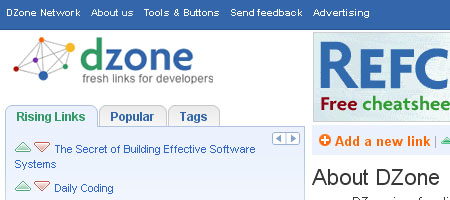


14.DZone


Dzone - Screen shot


DZone is a social news site for developers. Users share links related to development and can vote on submissions (very much like Digg but limited to developer links). You can subscribe via RSS to various pages and sections such JavaScript, Flash/Flex, or databases if you want to get instant updates to things specific to your interests.
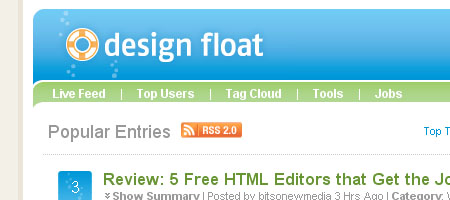


15. Design Float


Design Float - Screen shot


Design Float is social media site created for web and graphics designers. Like Dzone, people get to vote up submissions. You’ll find stuff about CSS, HTML, and Photoshop submitted to Design Float.


16. IBM’s developerWorks


developerWorks - screenshot


With the name camel-cased, you already know off-the-bat that it’s a great site for developers. developerWorks offers many articles and tutorials pertaining to development topics, not just about web development, but also on related fields such as systems administration and open source technologies and applications. developerWorks has a knack for writing about complex topics and boiling it down to consumable, understandable articles. Some of my bookmarks include "Debug and tune applications on the fly with Firebug" (an introduction to Firebug) and the "Make PHP apps fast, faster, fastest" series.


17. del.icio.us


del.icio.us - Screen shot


del.icio.us is a social bookmarking site where members can post bookmarks to keep and share. It’s not strictly for web developers but you can monitoring specific tags such as webdev, development, or javascript.


18. Sharebrain


Sharebrain - Screen shot


Sharebrain is site that shares useful resources for web workers. You can find resources and tutorials on various web development and design topics such as Photoshop tutorials, Usability, SEO Tools, CMS’s, and interviews.


19. Style Grind


Style Grind - Screen shot


Style Grind shares useful news and information about web technologies and designs. Resources and news reported by Style Grind include a variety of web development and design topics such as updates on Erik Meyer’s CSS Reset and new plugins for jQuery.



20. PSDTUTS


PSDTUTS - Screen shot


Your value as a web developer increases when you’re proficient in design as well. Some examples would be Wordpress theme developers who not only know how to develop themes, but can also design them. PSDTUTS is a great place to improve on Photoshop skills and is a site I follow to learn more about graphics/web design.


21. Design Reviver


Design Reviver - Screen shot


Design Reviver is aimed at providing useful information for web designers. You can visit to read tutorials such getting started with 3D in Flash, to get free downloads like Photoshop brushes, and to find design inspiration.



22. Blog.SpoonGraphics


Blog.SpoonGraphics - Screen shotr


Blog.SpoonGraphics is a blog about graphics and web design created by Chris Spooner, a graphics and web designer. You can find many tutorials on Adobe Illustrator and Photoshop, free, downloadable resources like “Sliding Door” tab menus, articles for inspiration, and news.


23. John Resig


John Resig - Screen shot


John Resig is the self-titled blog of John Resig - a premier JavaScript developer and author most known for his creation of jQuery, a popular JavaScript framework. John Resig’s blog shares his thoughts about JavaScript development and web applications. It’s where I found out about the release of his new project: Processing.js (a JavaScript port of the Processing programming language) and where he voiced his thoughts on Google Doctype.



24. Boxes and Arrows


Boxes and Arrows - Screenshot


Boxes and Arrows is all about best practices, innovations, and trends in the topic of design - including information architecture, graphics design, and user interaction design. You can read about findability (how people look for information), counter-arguments of front-loading information above the fold, and web accessibility.


25. PHPDeveloper


PHPDeveloper - Screenshot


PHPDeveloper brings together news and resources about PHP from blogs and sites that cover PHP. You’ll find reports varying from PHP video tutorials to interesting developments over at Zend.


26. Coding Horror


Coding Horror - Screenshot


Coding Horror is a very popular blog (over 100,000 RSS subscribers!) by Jeff Atwood, a software developer. He talks about web development too, posing questions such as Is HTML a Humane Markup Language?, discussing Amazon S3’s viability to host images, and sharing information on versioning databases.



27. O’Reilly Network


O'Reilly Network - Screen shot


The O’Reilly Network by O’Reilly Media (publisher of development books) features articles and blogs pertaining to web development and open technologies. Some recent articles include Creating Applications with Amazon EC2 and S3 and Getting Started with the Google App Engine. Some blogs that are part of the O’Reilly Network include WindowsDevCenter.com (for Windows Developers), ONJava.com (topics cover the Java language) and ONLamp.com (which talks about Linux, Apache, MySQL, and PHP).
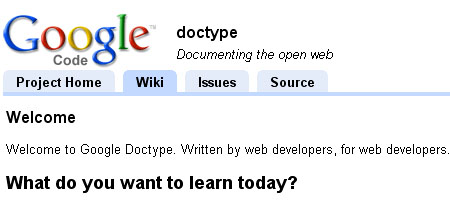


28. Google doctype


Google doctype - Screen shot


Google Doctype is Google’s new project that will include entries "by web developers for web developers". Currently, it doesn’t have very many articles, but it’s certainly a resource to follow in the upcoming months.
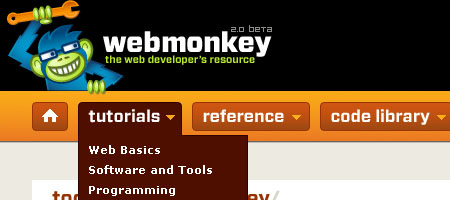

29. Web Monkey


Web Monkey - Screen shot


Web Monkey - the web developer’s resource is back! Though they’re just getting back to the swing of things, it’s definitely a website to keep track of.
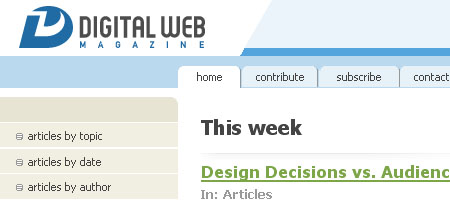

30. Digital Web Magazine


Digital Web Magazine


Digital Web Magazine is the online magazine for web professionals (web designers, developers, information architects). You can find many things included here such PHP, Web Standards, and Programming.


Other notable sites to check out


Reblog this post [with Zemanta]

webtricks: .com domains for free

Signup at EzyRewards. It is completely free. You are required to use real information when you signup. However, create a junk email right now that you will use to receive all the inevitable spam this offer contains. Also, it is required to use your real information. You must use a real phone number.

20px|Windows Live Logo Windows Live Toolbar

Upon signup, you can instantly start taking surveys. The surveys range form 1-3 pages and must be filled with real information. The companies have never called me but if you want to be sure, use the number you made at Privatephone.com instead.

Once you complete a survey, it will take a couple hours for the points to cash. If it says Pending next to the offer, that means you will be credited soon.

Download a toolbar or something that has the option to autofill forms. This can reduce your time taking greatly, as it does get pretty tedious reentering your details about 20 times. As soon as you have taken a good amount of surveys, wait for your points to total up.

Now heres the part where your spend your points. If you have 1200 points you can finally get your .com. You must make an account at Optinom.com before you order however. The registration takes 5 seconds and after you are complete, you are given an ID number. Head back to ezyrewards and order your 1200 point domain and put your Optinom ID number in the form. Make sure you have the correct ID and hit accept.

By doing this, in about 24 hours you will recieve $8.20 credit for your optinom account. When the cash is transferred over, you can now purchase your domain. After you purchase a domain, you can either configure it to your existing webhost, or you can get free webhosting from ezyrewards here. In order to signup, you will need to have already bought your domain. You can have up to 100 MB space and 2GB bandwidth absolutely free, just be sure to apply on the forums.

Feb 14, 2009

Top 10 CES 2009 Gadgets

Top 10 Gadgets at CES


Technology, whether medical, constructive or state-of-the-art has certainly evolved with time. While some in the past year chose to use technology as a means to destroy a nation through terror attacks, smart chaps on the other end of the globe decided to flaunt their technology in the New Year through innovative and intelligent devices at the Consumer Electronics Show 2009 (CES).


Held from January 8 to January 11, the CES 2009 lasted just 4 days. However the event definitely managed to give us technology lovers some soul-stirring devices. This year at the CES, gadget freaks were thrilled to lay their hands on some really innovative products that we think should rock 2009. The products don’t just manage to use technology to the best of their advantage, but they also leave us in awe for sheer use of intelligence. So we bring to you a list of which we think are the top 10 gadgets that were displayed at one of world’s largest technology affairs.


1. HP TouchSmart dx9000 Desktop PC: Touch these days is a technology that hasn’t been left ‘untouched’ by practically any device manufacturer. We think a product at the CES that used the touch technology to the best of its capabilities is the HP TouchSmart dx9000 PC. As the name suggests, the desktop PC is enabled with touch functionality and will certainly catch your eye with its sleek design. The novel PC incorporates a 22” high-def widescreen display along with other features like Intel Core 2 Duo Processor and HD support. The PC packs in the HP TouchSmart software which has been particularly optimized for touch interactions. The touch enabled all-in–one desktop PC is also available in a 25.5” display option. While the 22” display will cost around $1,199, the 25” HP TouchSmart Desktop will cost around $1799.99.


2. Sony Vaio P series notebook: We can certainly say that the Sony Vaio P series notebook was one of the most awaited products of 2009. The gadget created quite a rage in the technology terrain once it was launched. The highlight of the P notebook is its small form factor that resembles a mobile phone. The Vaio P series lifestyle PC has an 8” 1600 x 768, LED backlit 8-inch ultra-wide diagonal display and combines Sony’s XBRITE-ECO LCD technology with some great functionality. Available in many colors, namely garnet red, emerald green, onyx black, crystal white and classic black, the notebook is powered by the Windows Vista OS and weighs just about 1.4 pounds. Lasting about 4 hours in battery life, the VAIO P Series Lifestyle PC comes for a starting price of $899.99.


3. Palm Pre smart phone: While smart phones may have been the talk of the town in the past year, we think not too many mobile phones managed to leave an impression at the CES. Though one device that seemed to catch the eye of practically one and all was Palm’s novel Pre smartphone that came bundled in with a new platform called webOS. With a large 3.1” HVGA touch screen, the phone offers a host of connectivity options too including Wi-Fi and Bluetooth. Equipped with a 3 mega pixel camera, the Palm Pre boasts of 8 GB internal storage. While we have no updates on the pricing details, the Palm Pre smartphone is expected to launch exclusively through Sprint in Q1 of 2009.


4. Logitech Harmony 1100 Advanced Universal Remote: Logitech’s latest innovation, the Harmony 1100 Advanced Universal Remote is meant to take a user’s home entertainment experience to elevated heights. In a stylish design, the award winning device is wrapped with some really cool features. Encased with a brushed-black aluminum top case, the Harmony 1100 includes a 3.5” QVGA touch screen that is customizable along with a rechargeable battery, RF- capability and an optional Harmony RF Extender. The high spot of the stylish remote is its user-friendly touch interface that is very simple to use. Well, we can’t wait until this one starts shipping in February 2009. The Logitech Harmony 1100 Advanced Universal Remote will come for an approximate price of $499.99.


5. Samsung BD-P4600 Wall-Mountable Blu-ray Player: The next device which we think caught the fantasy of many at the CES 2009 in the home entertainment category is Samsung’s BD-6400 Blu-ray player. Adorning a stylish form factor, the player bundles in many functions that should excite multimedia enthusiasts. Dressed in a piano black design with ruby accents on the edges, the Samsung BD6400 is just about 1.5” in thickness. Offering complete support for HD 1080p, the Blu-ray player includes many advanced features that make it stand out in the crowd. To top it, the BD-6400 Blu-ray player can be mounted on a wall at a 25 degree angle thanks to its distinct stand. There is no word yet on the price or availability of this distinguished device.


Top 10 Gadgets CES 2009


6. Samsung HT-BD7200 2.1-Channel Blu-ray Home Theater System: Besides the Blu-ray player, Samsung also showed off a new home theatre system called the HT-BD7200. We think it manages to stand out in the crowd of the many home entertainment systems revealed thanks to its stylish design. Adorning Samsung’s signature ToC design accents, the system is astonishingly just 2.6” deep. The ultra-cool home entertainment system also supports an iPod dock besides offering compatibility to the BD-Live technology. The Blu-ray system boasts of a 5.1 channel surround sound that offers a 1000W output. With support for low power consumption, the Blu-ray home theater system also includes an improved amplifier engine. There are no details on the price or availability of the Samsung HT-BD7200 Home Theater System.


7. Logitech G19 Gaming Keyboard: The CES also had loads in store for gaming enthusiasts. One such gadget that seemed to have caught the fantasy of most gamers was the novel G19 Gaming Keyboard by Logitech. The keyboard is bundled with 12 fully programmable G-keys that offer 3-macros per key support. With a multi-key input functionality, the G19 keyboard is bound to enhance a gamer’s experience while playing on the computer. The keyboard also supports 2 USB ports and is compatible with both, Mac and Windows computer systems. The powerful keyboard should launch around March 2009 in Europe and US for an approximate price of $199.99.


8. Sony Wi-Fi DSC-G3 camera: While there were many exciting digital cameras launched at the CES, one that really grabbed our attention was Sony’s new Wi-Fi DSC-G3 cyber shot digital camera. A camera that is equipped with complete Wi-Fi enabled functionality, now that’s really cool! We think the digital camera reveals how technology is indeed enhancing at a sky rocketing pace. Besides the Wi-Fi connectivity option, features the camera wraps in include a 3.5” Xtra Fine LCD display, 10 MP image sensor, 4 GB internal memory and many other advanced image management tools. Dressed in black color, Sony’s super cool Wi-Fi DSC-G3 digital camera is up for grabs now at a price of around $500.


9. Sennheiser HD 800 earphones: Germans, we must say, are known to deliver some of the most innovative technologies. Doing just that, German based Sennheiser showed off their novel headphones called HD 800. The headphones are all ready to create a stir in the audio terrain thanks to their unique blend of technology and design materials. In a new open back ear cup design, the earphones will certainly excite dedicated audiophiles. Highlights of the new earphones is its large transducer that make the earphones more powerful while the Japanese Alcantara materials used for the ear pads increases the comfort factor of the earphones. The earphones are, however, heavy on the pocket costing around $1400 for a pair.


10. iriver P7 PMP: Finally, the CES 2009 also made way for many interesting MP3 players. Standing out in the crowd was the P7 PMP from iriver. The portable player wraps in many advanced features that should offer users the much needed functionality they yearn for in a music player. The best part about the player is that it will come in 4, 8 and 16 GB Nand Flash models with a microSD card slot. The P7 player is also more durable and adorns a sleek design. Sporting a 4.3” LCD, for users who are always on the move, the player wraps in 50 hours of audio playback. The P7 player will certainly catch the eye of many with its advanced functions like SRS WOW HD and 7 Preset EQ settings. No details on how much this smart PMP should cost, though we are hoping to see it come around soon.

Feb 13, 2009

Google shows the Epoch time hitting 1234567890 on valentine

The Unix Epoch will hit a date of 1234567890 on exactly 13 February 2009 (Friday) at 23:31:30 GMT. If you wait 1.011 more seconds you'll have the numbers 1-11 in the date!

This is displayed on google too currently


Escape from Google Ban: Recover back from Ban

What is Google ban?

Google ban is a penalty that Google imposes on sites violating its Webmaster Guidelines. It is not a step-down the Google search results pages and not a disappearance from them for a day or two because of a sudden change in the ranking algorithm. Google just removes information about sites that violate its guidelines from its index. Having a site that users cannot find is a webmaster's worst nightmare.

How can you find out if your site has been banned?


A sudden drop in traffic is a good reason to make sure that everything is okay with your site, says John Honeck, Google Webmaster Forum Top Contributor.


A gray inactive Google PR toolbar, that had previously been green or just active, may be a sign that the site is no longer listed in the search engine index. - If your search for a command site:www.yoursite.com shows no results, the sad truth is that your site has been banned.


You can also find out about a ban using Google Webmaster Tools. There you may see whether the pages of your site are included in the Google index and when Googlebot last accessed your homepage. In addition, you may receive a message from Google explaining what the problem with your site is, but most likely Google will inform you about such elementary violations like hidden text.

Instead of panicking...


check your robots.txt and meta tags to make sure indexation is allowed from there


check if there are pages on the Web that duplicate your content


check if your site meets all Google Webmaster Guidelines. This is especially important if you have inherited the website or consulted an SEM company


visit Google Webmaster Help Forum, especially if you have implemented these steps but still cannot locate the problem. There you can find answers to all your Google-related questions.

How to get back?

When you understand the reason why your site has been dropped from the Google index, remove the cause of the trouble immediately. Then enter Google Webmaster Tools, go to Dashboard and choose "Request reconsideration". Follow the steps, and do not forget to swear that you will never ever do evil again.

Feb 12, 2009

20 Largest Social Bookmarking Sites

1 | digg.com
560,598,000 - Inbound Links | 33,432,650 - Compete Monthly Visitors | 12,200,000 - Quantcast Monthly Visitors | 284 - Alexa Ranking.
2 | Yahoo! Buzz
4,231,000 - Inbound Links | NA - Compete Monthly Visitors | 4,000,000 - Quantcast Monthly Visitors | NA - Alexa Ranking.
3 | Technorati.com
250,287,000 - Inbound Links | 2,259,592 - Compete Monthly Visitors | 2,300,000 - Quantcast Monthly Visitors | 457 - Alexa Ranking.
4 | StumbleUpon.com
305,000,000 - Inbound Links | 4,209,353 - Compete Monthly Visitors |978,000 - Quantcast Monthly Visitors | 939 - Alexa Ranking.
5 | del.icio.us
606,665,000 - Inbound Links | 1,704,343 - Compete Monthly Visitors |325,000 - Quantcast Monthly Visitors |2,648 - Alexa Ranking.
6 | kaboodle.com
3,693,000 - Inbound Links | 4,903,654 - Compete Monthly Visitors | 3,400,000 - Quantcast Monthly Visitors | 1,422 - Alexa Ranking.
7 | reddit.com
210,685,000 - Inbound Links | 3,807,418 - Compete Monthly Visitors | 1,200,000 - Quantcast Monthly Visitors | 4,815 - Alexa Ranking.
8 | mixx.com
17,326,000 - Inbound Links | 961,684 - Compete Monthly Visitors | 2,100,000 - Quantcast Monthly Visitors | 673 - Alexa Ranking.>
9 | Propeller.com
5,903,000 - Inbound Links | 1,080,258 - Compete Monthly Visitors | 773,000 - Quantcast Monthly Visitors | 2,252 - Alexa Ranking.
10 | Fark.com
55,162,723 - Inbound Links | 450,773 - Compete Monthly Visitors | 1,300,000 - Quantcast Monthly Visitors | 6,550 - Alexa Ranking.
11 | newsvine.com
90,708,775 - Inbound Links | 744,534 - Compete Monthly Visitors | 768,000 - Quantcast Monthly Visitors | 7,106 - Alexa Ranking.
12 | Slashdot.org
62,071,035 - Inbound Links | 881,082 - Compete Monthly Visitors | 461,000 - Quantcast Monthly Visitors | 10,512 - Alexa Ranking.
13 | clipmarks.com
765,141 - Inbound Links | 409,530 - Compete Monthly Visitors | 552,000 - Quantcast Monthly Visitors | 6,294 - Alexa Ranking.
14 | Furl.net
170,628,144 - Inbound Links | 173,364 - Compete Monthly Visitors | 85,500 - Quantcast Monthly Visitors | 21,691 - Alexa Ranking.
15 | faves.com
2,067,453 - Inbound Links | 157,420 - Compete Monthly Visitors | 232,000 - Quantcast Monthly Visitors | 8,846 - Alexa Ranking.
16 | dzone.com
4,933,009 - Inbound Links | 222,058 - Compete Monthly Visitors | 193,000 - Quantcast Monthly Visitors | 46,502 - Alexa Ranking.
17 | blinklist.com
78,582,576 - Inbound Links | 95,238 - Compete Monthly Visitors | 50,000 - Quantcast Monthly Visitors | 28,616 - Alexa Ranking.
18 | ma.gnolia.com
60,917,444 - Inbound Links | 89,558 - Compete Monthly Visitors | 18,300 - Quantcast Monthly Visitors | 79,651 - Alexa Ranking.
19 | simpy.com
37,090,730 - Inbound Links | 55,396 - Compete Monthly Visitors | 42,000 - Quantcast Monthly Visitors | 65,050 - Alexa Ranking.
20 | BlogMarks.net
31,281,453 - Inbound Links | 36,048 - Compete Monthly Visitors | 9,500 - Quantcast Monthly Visitors | 42,675 - Alexa Ranking.